
Spinch Mobile App
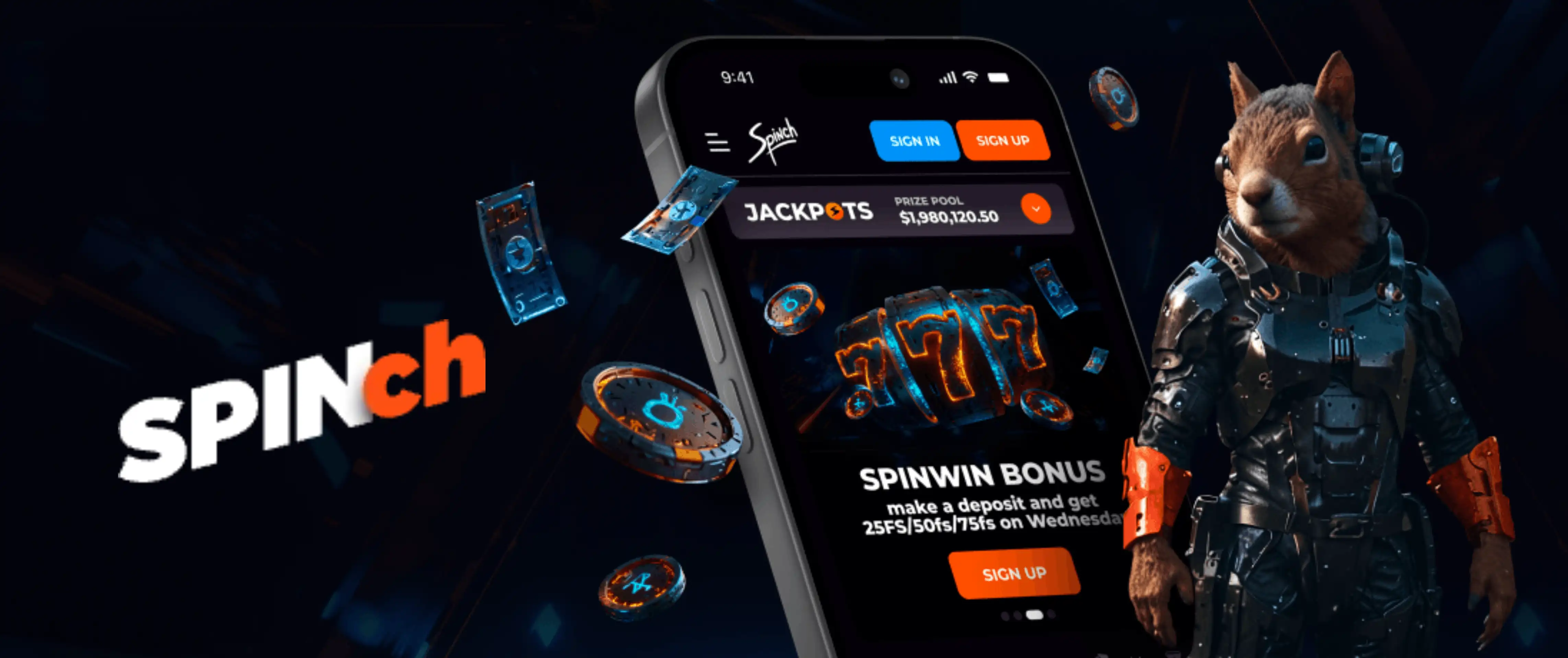

Welcome to Spinch, where gaming on the go has never been smoother. Whether you're waiting for a bus, relaxing on your sofa, or taking a quick break at work, Spinch Casino puts thousands of slots, live tables, and exclusive promotions right in your pocket. We built our mobile experience with players in mind, and here at Spinch, we believe convenience should never come at the cost of quality.
Our Spinch app isn't a native download from an app store - instead, we offer a fully installable web app that runs smoothly on both Android and iOS devices. This means you get instant access without worrying about compatibility issues or lengthy approval processes. Below, we'll walk you through everything you need to know about getting started, from installation to claiming your first spinch bonus.
Security and Fair Play on Mobile
We take player safety seriously, and our mobile app carries the same protections as our desktop platform. All transactions are encrypted, and we require identity verification before processing withdrawals to keep accounts secure. Games on Spinch are powered by certified providers like Pragmatic Play, Evolution, and NetEnt, ensuring every spin and every hand is fair and independently tested.
We also remind players that using VPNs or other tools to mask your location isn't permitted under our terms. We monitor for this to protect both our platform and our community of players, and any breach can affect your account status or winnings.
Account Management on the Go
Beyond spinning reels and placing bets, our app gives you full control over your account. You can check your balance, review transaction history, adjust deposit limits, and reach our support team directly from your phone. We've made sure that managing your Spinch account feels just as complete on mobile as it does on a desktop browser.
How to Get the Spinch App on Android and iOS
Getting set up with Spinch is quick and straightforward. We've designed the process so you can be playing within minutes, regardless of your device.
For Android Users
Spinch Casino works perfectly through your mobile browser, and you can add it to your home screen just like a native app.
- Open your preferred browser (Chrome works best) and visit the official Spinch website
- Tap the menu icon in the top corner of your browser
- Select "Add to Home Screen" or "Install App"
- Confirm the installation, and the Spinch icon will appear on your device
- Tap the icon anytime to launch the app instantly
For iOS Users
iPhone and iPad players can enjoy the same seamless experience with our installable web app.
- Launch Safari and navigate to the Spinch website
- Tap the Share icon at the bottom of the screen
- Scroll down and select "Add to Home Screen"
- Name the icon and tap "Add"
- Your Spinch Casino shortcut is now ready for one-tap access
Logging Into Your Spinch Casino Account
Once you've installed the app, accessing your account takes just seconds. We've streamlined the spinch casino login process so you spend less time clicking and more time playing. Simply open the app, tap the login button, enter your credentials, and you're back in action. If you've forgotten your password, our recovery system gets you back on track in no time. For new players, registration through the app mirrors the desktop process - quick, secure, and verified in line with our licensing standards.
Why Players Love Our Mobile Platform
At Spinch, we've optimized every corner of our gaming library for smaller screens without sacrificing speed or visual quality. Our app loads quickly even on slower connections, and the interface adapts automatically to your device, whether you're using a compact phone or a larger tablet.
- Over 6,000 slots and 7,000 total games, all playable on mobile
- Live dealer tables from Evolution and Pragmatic Play Live, streamed smoothly on the go
- Instant deposits and withdrawals through crypto, cards, and e-wallets
- Full access to tournaments, the Spinch Wheel, and Daily Quests
- No downloads needed - just install and play directly from your browser
Spinch Casino also supports a wide variety of currencies and cryptocurrencies, so whether you're depositing in EUR, GBP, or Bitcoin, the mobile app handles transactions just as efficiently as the desktop version. Our Spinch Games originals - including Chicken Road, Mine Slot, and Plinko - are particularly popular among mobile players thanks to their fast, tap-friendly gameplay.
Claiming Bonuses Through the App
One of the best parts of playing with us is that every promotion available on desktop is fully accessible through the mobile app too. Our Spinch bonus offers are designed to reward both new and loyal players, and you won't miss out just because you're on your phone.
| Offer | Details |
|---|---|
| Welcome Pack | 225% up to 31,500 EUR + 225 Free Spins over three deposits |
| 1st Deposit | 100% up to 30,000 EUR + 100 Free Spins on Candy Monsta |
| 2nd Deposit | 75% up to 1,000 EUR + 75 Free Spins on Fruit Million |
| 3rd Deposit | 50% up to 500 EUR + 50 Free Spins on Bonanza Billion |
| Minimum Deposit | 20 EUR / USD / GBP / CHF |
| Wagering Requirement | x40 bonus plus free spin winnings |
We also run a Weekend Reload every Friday through Sunday, along with Daily and Weekly Cashback offers that reward you even on days when luck isn't on your side. Keep an eye out for promo codes like SPINCHFTD and RELOAD66 - you can enter these directly in the app's cashier section when you deposit. We don't currently advertise a spinch casino no deposit bonus, but our Spinch Wheel and loyalty program offer plenty of free spins and cash prizes without needing a code.
Our Customer Support
We know that quick help matters, especially when you're playing on the move. Our support channels are built to get you answers fast, whether you have a question about a spinch casino bonus code or a technical issue with the app.
- Live Chat: Available 24/7 directly through the app
- Email: [email protected]
- Telegram: Quick messaging for account and game questions
- FAQ Section: Answers to common questions, accessible anytime

Final Thoughts
We've built Spinch to be a casino you can carry with you, not one you're tied to a desktop for. From quick installation to full access to our games library, bonuses, and account tools, the mobile experience mirrors everything you love about Spinch Casino on a bigger screen. Whether you're chasing a jackpot, claiming a weekend reload, or just browsing new slot releases, our app keeps you connected wherever you go.
FAQ
Is there a native Spinch app I can download from the app store?
We don't offer a native app at the moment. Instead, we provide an installable web app that works through your mobile browser on both Android and iOS, giving you the same fast, secure experience without needing app store approval.
Do I need to re-enter my spinch casino login details every time?
Not unless you choose to log out. Most browsers and devices will remember your session, though for security reasons we recommend logging out on shared devices.
Can I use a spinch casino promo code through the mobile app?
Yes, you can enter any active promo code directly in the cashier section when making a deposit through the app, just as you would on desktop.
Is the app free to install and use?
Absolutely. Installing Spinch on your home screen costs nothing, and there are no extra fees for playing through the mobile version compared to desktop.
Will I have access to all games through the app?
Yes, our full library of over 7,000 games, including live dealer tables and jackpot slots, is available through the mobile platform, though availability may vary slightly by region due to provider restrictions.
What should I do if the app isn't loading properly?
We recommend clearing your browser cache or updating to the latest browser version. If issues persist, our live chat team is available around the clock to help troubleshoot.
Content updated: October 06, 2026